
- v3Published to portalR. Kaur · 14 May 2026Public
- v2Approved by boardAudit & Risk · 2 May 2026Approved
- v1Submitted for reviewJ. Okafor · 28 Apr 2026Pending review
Documents
Every policy. Every version. Searchable.
Upload once, version forever. Approve through a real workflow. Publish to your parent-facing portal in one click.
Upload & version
Versioning that makes sense.
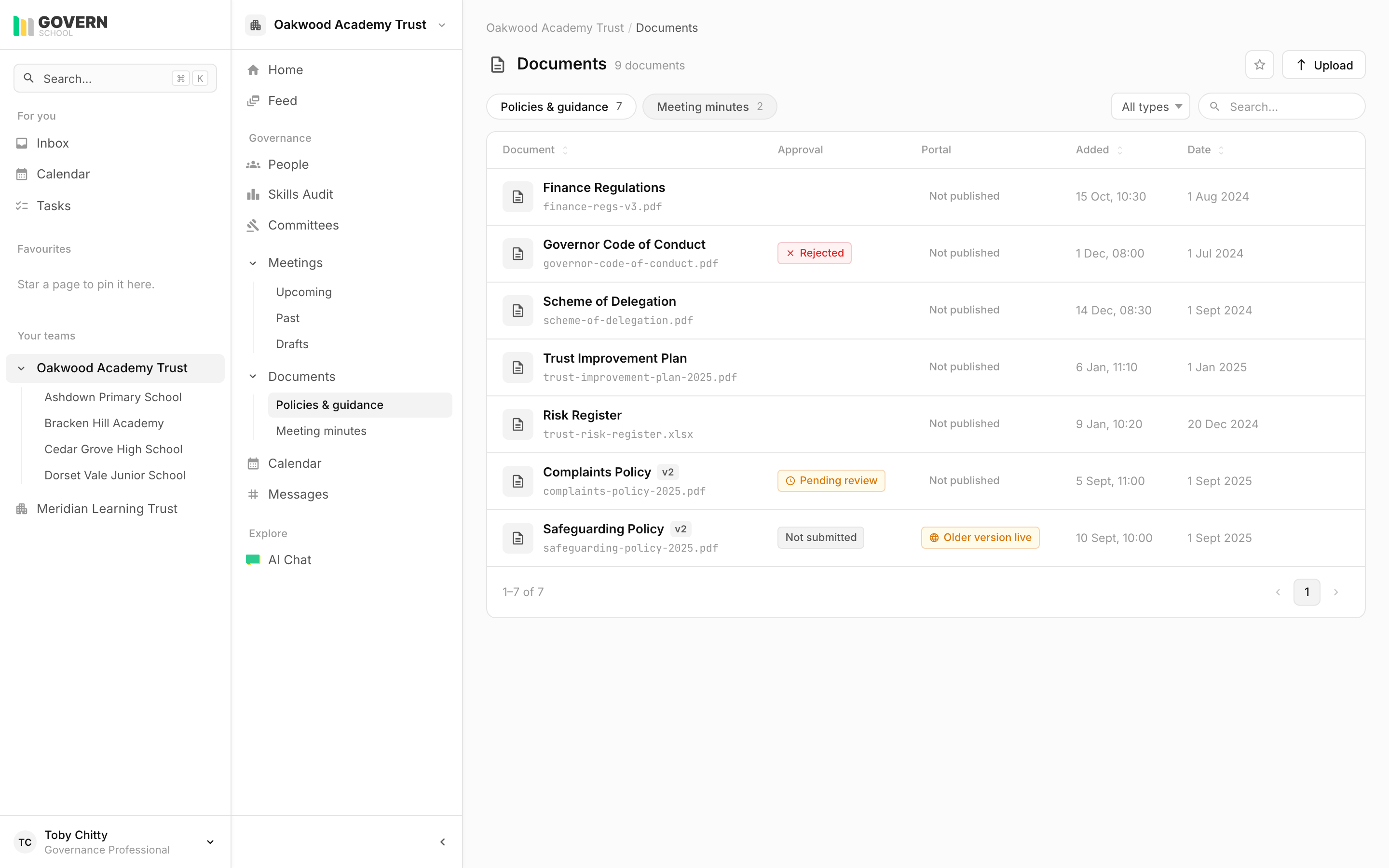
Upload a new version of an existing policy, the old version stays accessible, the new one becomes active. Search returns the latest unless you ask for history.
- v1 → v2 → v3, with dates and authors
- Bulk upload supported, drag a folder
- Filename, title, date, and document type captured at upload
Approval, not folder permissions.
Documents move through a state machine. The chair, designated safeguarding lead, or finance director approves the document type they own.
Upload
Add the document. Set the scope (trust or school), title, and document date.
Submit for review
Routed to the approver for the document type. They can request changes or approve.
Approved
The document is the active version. Older versions remain accessible.
Published
Optionally publish to the public portal for parents. Unpublish at any time.
Trust vs school scope
Documents at the right level.
Trust-wide policies live at the trust. School-specific policies live at the school. The same document hierarchy your DfE handbook expects.
- Trust scope inherited by every school in the trust
- School-specific overrides where they exist
- Audit-ready trail of who approved what, when
Public portal
Statutory documents, parent-facing.
Tick ‘publish to portal’ on a document and it appears on your trust’s parent-facing site. Tick again to unpublish. No CMS, no IT ticket.
- Publish or unpublish per document, instantly
- Shows the older version while a new one is in approval
- Your logo and your schools, listed
See your trust’s policy library, organised.
During the demo we’ll show you what your current SharePoint mess would look like on govern.school.