
- Safeguarding Policyv3
- Behaviour Policyv2
- Complaints Procedurev1
Public portal
Statutory documents, parent-friendly.
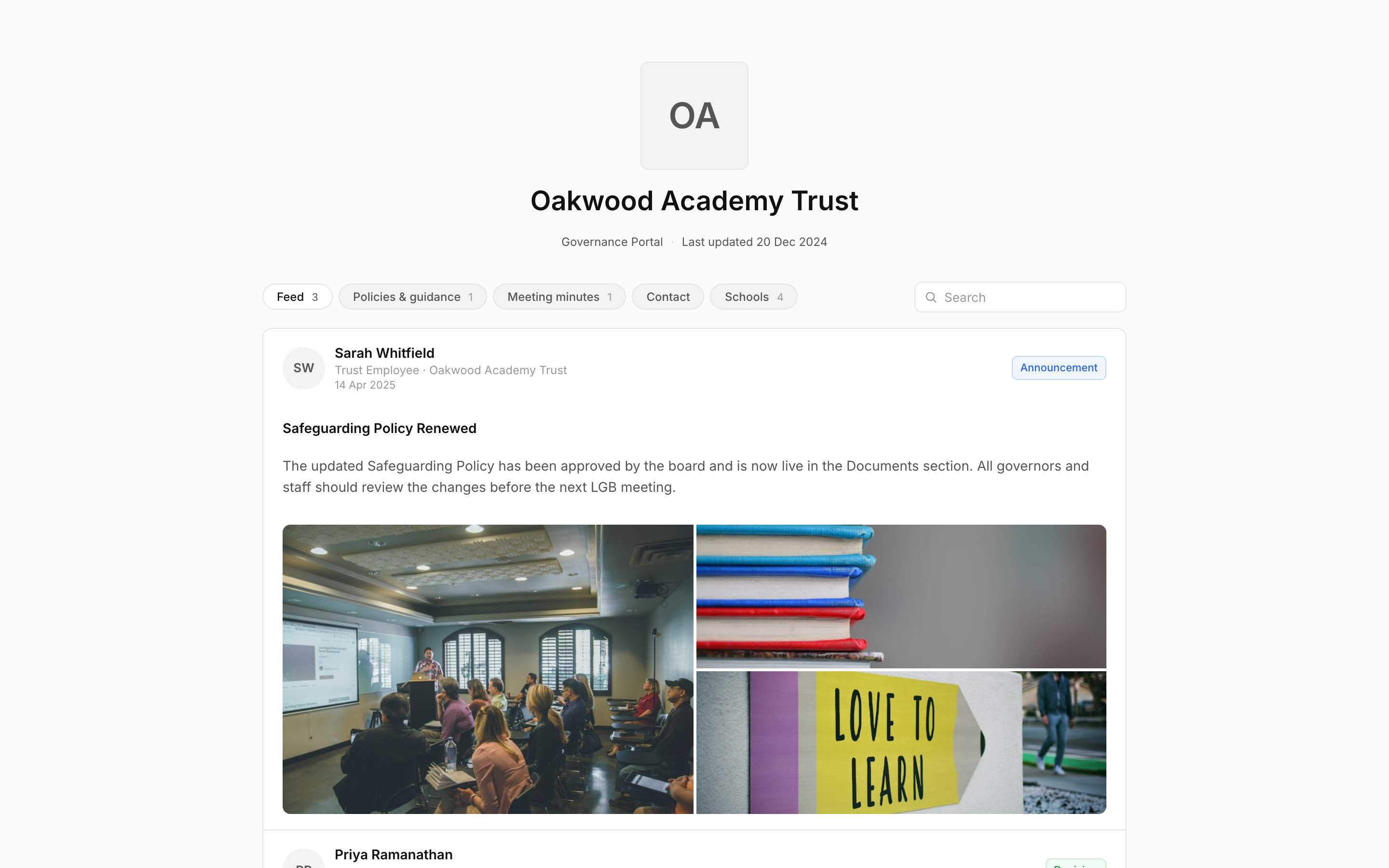
The trust website page parents and inspectors look for. Pulled from the documents you’ve already published in govern.school.
What goes on the portal
Published from what you already approved.
The portal is organised into the sections parents and inspectors look for. Each one is populated from the documents you publish in govern.school, nothing is re-keyed.
- Policies & guidance (latest approved version)
- Meeting minutes (when made public)
- Contact details for the trust
- Your schools, listed
One-click publish
Publish or unpublish in one click.
From any document’s detail page, toggle ‘publish to portal’. The portal updates immediately. No CMS, no developer, no IT ticket.
- Toggle visibility per document
- Schedule a publish date for versions in approval
- Audit log of every publish/unpublish action
Publication status
See what’s live at a glance.
The Documents page shows the portal status of every document: live to the public, still in approval, or sent back. Publishing and unpublishing is one click, and every change is logged.
- Public, pending review, and rejected statuses at a glance
- Publish or unpublish any document in one click
- Audit log of every publish and unpublish
Your trust
Your logo, your schools, your details.
Set the portal up from Trust settings: upload your logo, toggle the portal on, add a public contact email and an introduction, and list your schools. It’s ready to share in minutes.
- Logo and a short portal description
- Public contact email and transparency statement
- Your schools, listed and linked
See your portal, pre-populated.
During the demo we’ll show you the portal we’d publish for your trust, using your existing public-facing policies.